.webp)
Search for a machine that cuts shop names, bike stickers or T-shirt designs and you will often see the words vinyl plotter machine. It is the roll-fed cutter sign and sticker shops use every day: you design on a computer, the plotter cuts the vinyl, and you weed and apply the graphic.
This guide from Skycut India explains what a vinyl plotter machine is, how it differs from a printing plotter, how to choose between 24-inch and 48-inch widths, what software you need, and which Skycut vinyl plotter machine fits each kind of work.
Quick answer
- A vinyl plotter machine cuts vinyl with a blade. It does not print.
- Same idea as a vinyl cutter – both names describe a roll-fed cutting plotter.
- 24-inch covers most stickers and lettering; 48-inch is for wide signage and fleet work.
- Starter: Skycut V24. Production: VH Series. Printed stickers: C Series.
What is a vinyl plotter machine?
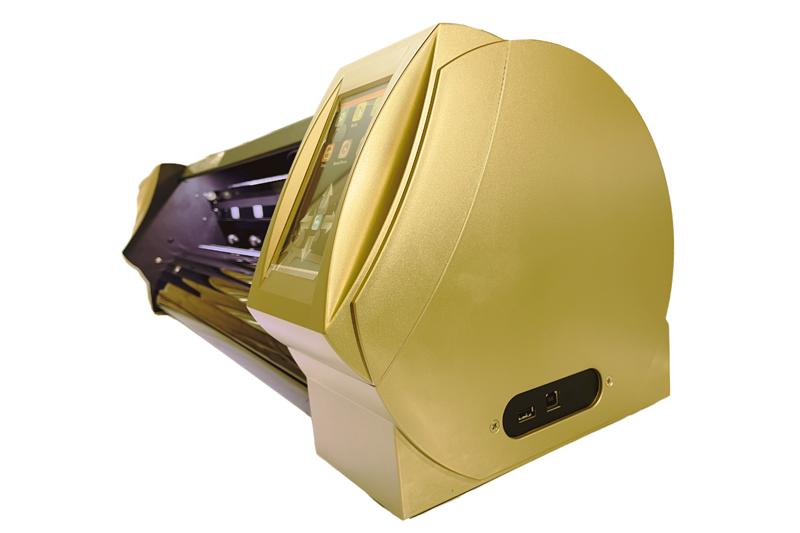
A vinyl plotter machine is a cutting plotter built to cut self-adhesive vinyl from a roll. The name comes from older pen plotters, which drew lines by moving a pen across X and Y axes. A vinyl plotter machine uses the same idea, but the pen is replaced by a small blade.
The vinyl is gripped by pinch rollers. The blade carriage moves side to side while the material moves forward and back. The blade cuts the vinyl face and adhesive and leaves the backing liner in place, so you can weed the waste and transfer the design.
In shops, “vinyl plotter”, “vinyl plotter machine” and “vinyl cutter” mean the same class of equipment. For a fuller comparison of the two names, read vinyl cutter vs cutting plotter machine.
Vinyl plotter machine vs printing plotter
In India, the word “plotter” alone often means a large-format printer used for flex banners and posters. A vinyl plotter machine is a different kind of equipment:
| Vinyl plotter machine | Printing plotter | |
|---|---|---|
| Job | Cuts vinyl with a blade | Prints with ink |
| Output | Lettering, stickers, decals, HTV | Banners, posters, drawings |
| Used together? | Yes – print a sticker, then contour cut it on a camera vinyl plotter machine. | |
When you ask for a quote, say vinyl plotter machine or vinyl cutting plotter machine so you are not offered a printer.
24-inch vs 48-inch vinyl plotter machine
24-inch vinyl plotter machine
- Fits on a shop counter
- Bike and car stickers
- Shop lettering and HTV
- Lower price and smaller space
48-inch vinyl plotter machine
- Needs more floor space
- Long sign boards and stripes
- Fleet and wide reflective jobs
- Fewer joins on large graphics
Buy the width you will use often. A 24-inch vinyl plotter machine is enough for most new sticker shops. Move to 48 inches when long signage and vehicle graphics become regular work.
Software and computer setup
Design software
CorelDRAW or Illustrator for letters, logos and cut paths. Convert text to curves before cutting.
Cutting software
Sends the cut file to the vinyl plotter machine, sets force and speed, and stores repeat jobs.
Connection
Most vinyl plotter machines connect by USB. Keep the cable and drivers ready on the shop PC.
Job library
Save common sizes and vinyl presets so the next order does not start from zero.
Skycut vinyl plotter machines are supplied with compatible cutting software. Installation and operator training are part of the setup.
A typical vinyl plotter machine job
Design
Create or import the logo or lettering and set the final size.
Send
Open the file in cutting software and choose the vinyl preset.
Load
Put the vinyl roll on straight and set the pinch rollers on the edges.
Test
Cut a small shape and weed it before you run the full job.
Cut & finish
Cut the design, weed the waste, apply transfer tape and place it on the surface.
Blade and force details are in the cutting vinyl machine guide. Cut styles such as kiss cut and contour cut are explained in vinyl cut machine.
.webp)
What a vinyl plotter machine can cut
| Material | Typical vinyl plotter machine jobs |
|---|---|
| Sign vinyl | Shop names, glass lettering, logos |
| Radium / reflective film | Bike, car and fleet night stickers |
| Heat-transfer vinyl | T-shirt names, numbers and logos |
| Printable vinyl | Contour-cut stickers and labels (camera model) |
| Frosted & specialty films | Window graphics, glitter and metallic designs |
A basic vinyl plotter machine is not a flatbed cutter. Thick rigid board and large packaging samples need a flatbed system. Material choices are covered in the vinyl machine guide.
Choosing a vinyl plotter machine?
Tell us your job sizes and materials – we’ll match a Skycut vinyl plotter machine and share today’s price.
Skycut vinyl plotter machines
Skycut V24
A compact 24-inch vinyl plotter machine for shop lettering, bike and car stickers, radium and heat-transfer vinyl. Easy to learn and sized for a counter.
- 24-inch working width
- Vinyl, radium & HTV
- Good first commercial machine
Skycut VH-24 / VH-48
Servo motors keep long vinyl jobs smooth and accurate. Choose 24 inches for stickers or 48 inches for wide signage and fleet graphics.
- Servo motor drive
- 24" and 48" widths
- Built for all-day cutting
Skycut C24 / CX24
A camera vinyl plotter machine that contour cuts printed stickers and labels, and still cuts plain vinyl when you need solid-colour graphics.
- Camera registration
- Printed stickers & labels
- Also cuts plain vinyl
Skycut D24 / D48
High cutting force and dual heads for thick reflective film, sandblast stencil and wide vinyl jobs that a basic plotter struggles with.
- Up to 2000 g force
- Dual independent heads
- Wide working area
How to choose a vinyl plotter machine
- List your weekly jobs – lettering, radium, HTV, or printed stickers.
- Measure the largest regular size before you pick 24 or 48 inches.
- Add a camera only if you sell print-and-cut stickers.
- Check service – blades, spare parts and training matter after the sale.
- See a sample cut on the vinyl you actually use.
For a parts-and-features buying guide, see vinyl cutter machine. For price tiers, see vinyl cutting machine price in India.
Frequently asked questions
Final thoughts
A vinyl plotter machine sits behind most solid-colour stickers and lettering. Pick the width for your real job sizes, add a camera only if you print stickers, and buy from a supplier that can train your operator and supply blades. Start with the Skycut V24, step up to the VH Series for volume, or choose the C Series when contour cutting is part of the work.