.webp)
A label cutting machine turns printed label sheets into peel-ready labels without scissors, hand trimming or skewed cuts. This page looks at the solutions side: which label jobs it fits, how shops set it up, and when automation pays back.
If you are comparing features before you buy, read the label cutting machine buying guide. For kiss-cut depth and liner settings, see label cutting. Both come from Skycut India.
Quick answer
- Same label sheet, all day: an A Series auto feeder, often the A3 Max 5.
- Shaped or mixed printed labels: a C24 or CX16 / CX24 camera plotter.
- Solid-colour roll labels: a V24 is enough.
- Board and cartons: that is a flatbed job, not label work.
What a label cutting machine solves
Printing is only half the job. After the printer, labels still need an accurate kiss cut that slices the face stock but leaves the liner whole. Done by hand, that step is slow, uneven and risky for barcodes. A label cutting machine moves it to a repeatable digital process driven by your print file.
The problems it removes are practical: wasted sheets from crooked cuts, operator hours spent trimming, and slow turnaround on short runs when a steel die would be too costly. The right setup depends on whether your labels arrive as stacked identical sheets or as varied printed contours.
Label solutions and use cases
These are the label jobs we see most often. In each one, a label cutting machine replaces a manual step with a controlled cut.
| Label job | What matters | Typical Skycut fit |
|---|---|---|
| Barcode labels | Light kiss cut and clean margins so scanners still read the code | A Series for batch sheets, C24 for varied jobs |
| Product and brand labels | Cut follows the printed shape, including rounded and custom outlines | CX16 / CX24 camera plotter |
| Batch label sheets | Same layout, hundreds of copies, minimal handling | A3 Max 5 / A3 Max 4 |
| Mixed sticker and label shops | Many small orders, frequent file changes | C Series / CX Series |
| Solid-colour roll labels | No print registration needed | V24 |
Sheet handling habits that help every one of these jobs are in sheet cutting.
Camera vs auto feeder
This is the central decision when you set up a label cutting machine. The two features solve different problems.
Camera contour cutting
The camera reads registration marks printed with the label, so the blade follows the ink even if the sheet shifts slightly in the printer. It is the right tool for shaped labels, custom outlines and anything printed that must be cut exactly on its edge.
Auto feeder
An auto feeder loads sheets from a stack so the operator is not placing every one by hand. It shines when a single layout repeats. Pair it with a good print workflow and one person can supervise a whole batch run.
In short: a camera plotter wins on variety, a feeder wins on repeat volume. Some Skycut A Series models combine both, so a label cutting machine does not always force a trade-off.
Planning a label cutting machine setup?
Send your label size, sheet size and sheets per day. We will suggest a Skycut setup and share the price.
Production setups and ROI
Three setups cover most label shops.
- Starter camera shop. One C24 or CX16 cuts labels, stickers and mobile skins. Good when order mix changes daily and volume is moderate.
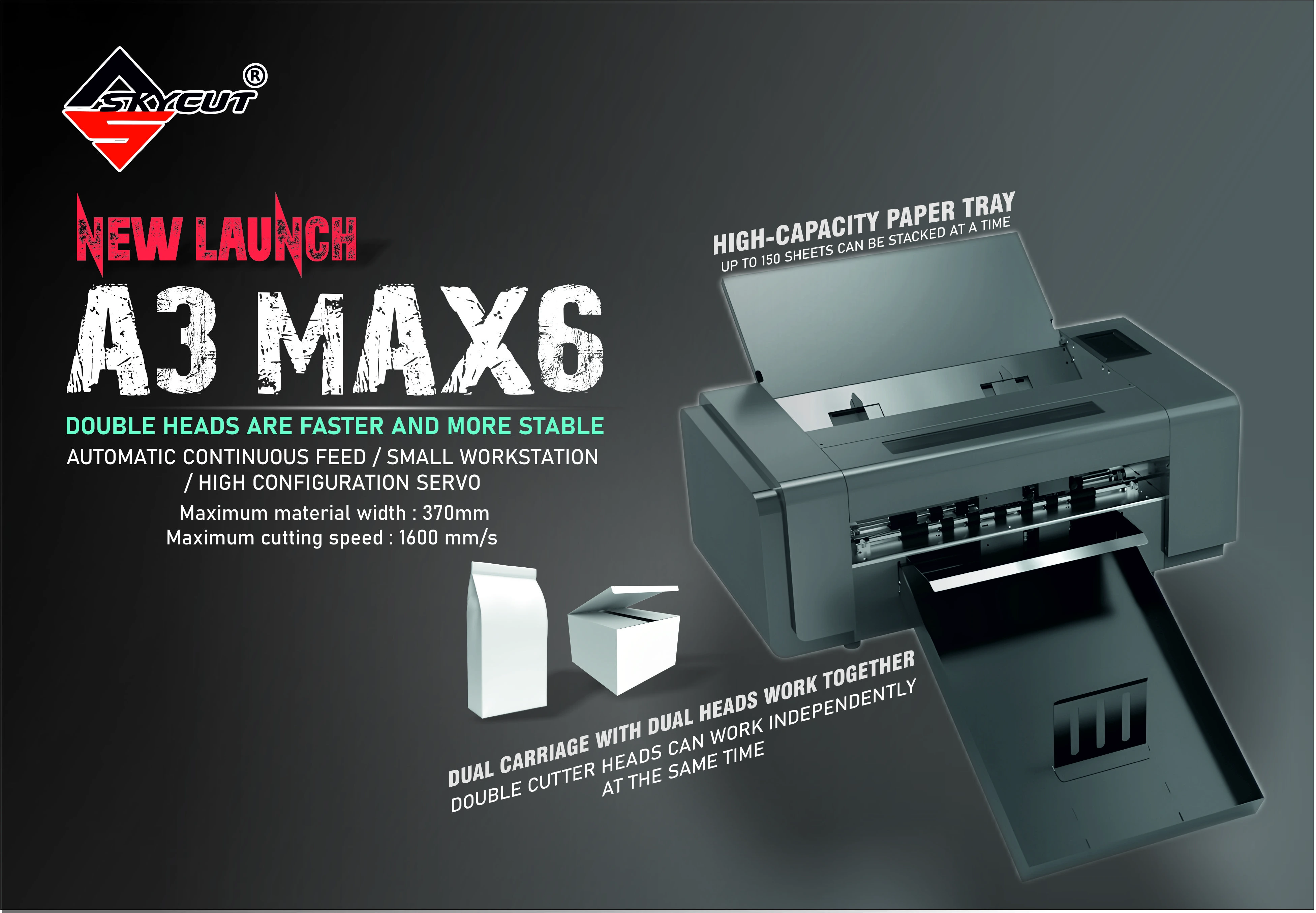
- Batch sheet line. An A3 Max 5 or A3 Max 4 feeds A3-class label sheets from a stack. Good when the same barcode or product label sheet repeats.
- Two-machine shop. A camera plotter handles custom jobs while a feeder handles the repeat work, so neither queue blocks the other.
Where the return comes from
- Labour: a feeder cuts without one person placing each sheet.
- Waste: camera registration reduces mis-cuts and reprints.
- No die cost: short and custom label runs need only a new file.
- Turnaround: same-day delivery becomes realistic for small orders.
Payback depends on how many sheets you cut per day, so treat these as the levers to count, not a fixed promise. For feature-level detail, use the label cutting machine guide alongside this page.
Skycut models by job
| Model | Choose it when |
|---|---|
| A3 Max 5 | Batch label sheets are the main job and you may crease small cartons too |
| A3 Max 4 | Stacked sheet label cutting is the priority |
| C24 | Camera contour cutting for printed labels and stickers |
| CX16 / CX24 | Printed labels plus stickers and mobile skins on one camera plotter |
| V24 | Labels are solid-colour vinyl from a roll, with no print-then-cut |
Send an enquiry with your sheet size and daily volume for the current price. Our team at Skycut India will help with installation and operator training.
Wrong machine for labels
- A flatbed for thin label stock – flatbeds are made for board and blanks. See packaging cutting machine if cartons are your real job.
- A roll plotter with no camera for printed labels – the cut will not track the ink.
- An oversized machine for a few sheets a week – start with a camera plotter and scale up.
- Skipping a test cut on barcode labels – always check scan results before a full run.
Frequently asked questions
Final thoughts
Pick a label cutting machine by the way your jobs arrive: a camera plotter for variety, an A Series feeder for repeat sheets. Use the buying guide for features and label cutting for the kiss-cut process.

