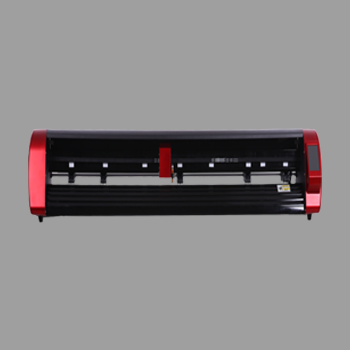
Sticker paper cutting finishes printable sticker sheets. You print the design, kiss-cut each outline, and leave the liner so customers can peel stickers from the page. The cut must follow the print, so registration marks and a camera matter.
This how-to from Skycut India covers the sheet workflow and which machine fits. Broader sheet jobs are in sheet cutting. Full solid-plus-printed workflow is in sticker making.
Quick answer
- Must-have: print marks + camera kiss cut on sticker paper.
- Few sheets / mixed designs: C24 / CX16 / CX24.
- Same sheets all day: A Series feeder.
- Skip a no-camera V24 for printed sticker paper outlines.
What sticker paper cutting is
Sticker paper is sheet media with a printable face and a peel liner. Cutting it means finishing the sheet after print: kiss-cut shapes, weed waste if needed, and keep stickers on the carrier sheet. It is the print-shop version of sticker production, not solid roll lettering.
Sticker paper vs roll vinyl
| Roll vinyl stickers | Sticker paper cutting | |
|---|---|---|
| Media | Coloured vinyl roll | Printed sticker sheets |
| Camera | Usually not required | Required for outline match |
| Typical cut | Kiss cut from design file | Kiss cut on the printed outline |
| Skycut start | V24 | C / CX or A Series |
How to cut sticker paper
Print sticker paper with marks
Use the same sheet size and orientation. Place registration marks the camera can see on every sheet in the job.
Set a kiss-cut test
Load one sheet. Cut a small sticker so the blade cuts the face and leaves the liner. Adjust force before the full run.
Align with the camera
Let the camera read the marks so the cut follows the print. Do not guess outline position by eye on printed sticker paper.
Run the sheet or stack
Cut one-off sheets on a camera plotter. Load a consistent stack on an A Series feeder for repeat jobs.
Weed and check peels
Peel waste from the face. Confirm stickers lift cleanly and the liner is not sliced through.
Stack feeding habits are in auto feeder. Kiss-cut theory is in kiss cutting machine.
Cutting sticker paper every day?
Tell us sheet size and daily volume. We will suggest a camera plotter or feeder and share the price.
Layout and kiss-cut tips
- Keep margins so stickers are not hard against the sheet edge.
- Use consistent mark positions on every sheet in a batch.
- Leave weed gaps between shapes so waste lifts cleanly.
- Test force on a corner of the same sticker paper brand you sell.
- Do not over-cut the liner – sliced backing ruins the peel sheet.
.webp)
Which Skycut machine
| Sticker paper job | Machine |
|---|---|
| Printed sheets, mixed designs | C24 / CX16 / CX24 |
| Same sticker paper stack all day | A Series (e.g. A3 Max feeders) |
| Solid colour from a roll only | V24 – not for printed sticker paper |
Call +91 9990391515 or send an enquiry with your sheet size. Machine buying overview is in sticker machine.
Common problems
| What you see | What to change |
|---|---|
| Cut misses the artwork | Add clear marks; use a camera model; keep layout consistent |
| Stickers will not peel | Raise kiss-cut force slightly; check blade sharpness |
| Liner is cut through | Lower force; confirm kiss cut, not through cut |
| Sheets misfeed in a stack | Fan and square the stack; see auto feeder |
| Ink smears under the roller | Let prints dry fully before sticker paper cutting |
Frequently asked questions
Final thoughts
Sticker paper cutting is print-then-kiss-cut on sheets. Use a C or CX camera for contour accuracy, and an A Series feeder when stacks repeat. Keep roll vinyl on a V24. For general sheet habits, read sheet cutting. For the full make flow, read sticker making.